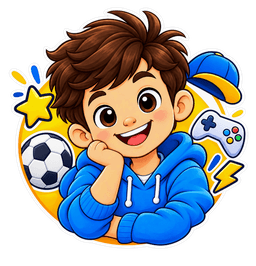
Avatars & AI
Get to know your toon, from your first photo to your approved avatar.
How do I create my RangToonz avatar?
Choose Avatar in a new project, or select Transform Photo. Upload or take a clear photo, give the required photo-processing consent, choose a style and review your generated toon.
What avatar styles can I choose from?
The style picker shows the styles currently available for your photo and creation. Choose from those options before generating your avatar.
Can I generate more than one avatar from the same photo?
Where the generation options allow it, you can try another style or regenerate from the same uploaded photo. Check any limits or charges shown before continuing.
Can I change the avatar style after generation?
You can generate a new result in another available style. This creates a different result rather than changing the already generated image; approve the one you want to use.
Can I refine my avatar if I don't like the first result?
Use the available refine or regenerate option to try again, then review the result. A clearer photo or a different style may help.
Can I use my avatar across Stickers, Merchandise and Collections?
Yes. Your approved avatar can be reused in supported Stickers, Merchandise and Collections. Check the preview for each product before ordering.
Can I create avatars for my family, friends or pets?
Choose a flow that supports the intended subjects and follow its photo guidance. Obtain permission for other people’s photos; children’s photos require the separate guardian confirmations shown during upload.
Why might my generated avatar look different from my original photo?
AI artwork is an interpretation, not an exact copy. The chosen style, lighting, pose and visible facial details can affect the result. Review and approve your toon before using it.